Citi Bank Online Banking Account Management
Managing a bank account online makes everyday banking more convenient. Customers can use digital banking to review account information, monitor transactions, make payments, manage beneficiaries, and access other available services without visiting a branch.
For Citi consumer banking customers in India, there is an important update: Citi’s India consumer banking business was transferred to Axis Bank. Citi Online and the Citi Mobile App were permanently discontinued for consumer customers from July 12, 2024, and migrated customers now use Axis Bank’s digital banking platforms.
What Is Online Banking Account Management?
Online banking account management refers to the different activities you can perform through your bank’s digital platform.
Depending on your account and available services, this can include:
- Checking account balances
- Reviewing transactions
- Managing beneficiaries
- Making payments and transfers
- Viewing statements
- Managing account details
- Accessing credit-card information
- Using UPI and other digital payment services
- Monitoring account activity
The exact features available depend on the account and the current banking platform.
Citi Bank Account Management After the Axis Bank Migration
Citi’s consumer banking business in India was transferred to Axis Bank. As part of the migration, former Citi customers were moved to Axis Bank’s digital banking platforms.
Axis Bank’s migration handbook states that Citibank Online and the Citi Mobile App were permanently discontinued from 10 PM on July 12, 2024, with services becoming available through Axis Bank platforms from July 15, 2024.
Former Citi customers therefore need to use their Axis Bank Internet Banking or Mobile Banking access rather than the old Citi login.
How to Access Your Migrated Account
Step 1: Visit the Official Axis Bank Website
Open the official Axis Bank website using a trusted browser.
Avoid using old Citi login links or unofficial websites that claim to provide Citi account access.
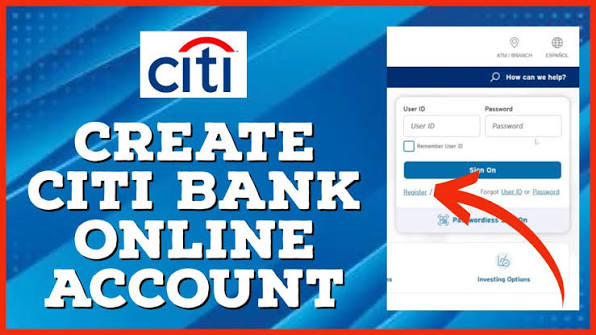
Step 2: Register for Internet Banking
Former Citi customers need to establish new Axis Bank digital-banking credentials.
Axis Bank’s migration guidance states that customers could register for Internet Banking using their customer ID and applicable credit/debit card details.
Step 3: Complete Verification
Follow the verification instructions displayed by Axis Bank.
Make sure you use the mobile number and account information associated with your banking relationship.
Step 4: Create Your Login Credentials
Your old Citi User ID and password cannot be used to log in to Axis Bank applications. New login credentials are required.
Step 5: Sign In
After registration, use your new Axis Bank credentials to access your migrated banking relationship.
Managing Your Account Online
Once you have access to your online banking account, there are several useful account-management functions you can perform.
1. Check Your Account Balance
One of the simplest uses of online banking is checking your available balance.
Regularly checking your balance can help you:
- Track your available funds
- Plan upcoming payments
- Monitor spending
- Identify unexpected changes
You don’t need to visit a branch simply to check available account information.
2. Review Recent Transactions
Online banking allows you to review available transaction history.
You can check transactions such as:
- Deposits
- Withdrawals
- Transfers
- Card transactions
- Payments
- Other account activity
Reviewing transactions regularly can help you identify unfamiliar activity quickly.
3. Manage Beneficiaries
Beneficiaries are recipients that you can use for eligible fund transfers.
Axis Bank’s migration handbook states that existing Citi payees and beneficiaries were migrated as part of the transition.
Even when a beneficiary has already been migrated, always verify the recipient’s details before making a significant transfer.
4. Make Online Transfers
Depending on your account and available services, online banking can allow you to make eligible transfers without visiting a branch.
Before confirming a transfer, carefully check:
- Recipient details
- Account number
- Amount
- Transfer type
- Applicable limits
Once a transaction is confirmed, follow the banking platform’s instructions regarding cancellation or modification.
5. Manage UPI Services
Axis Bank’s migration information states that migrated accounts could be included for UPI using the existing registered mobile number.
UPI can provide a convenient way to make eligible digital payments through supported applications.
6. View Statements
Digital banking can make it easier to access available account statements and transaction records.
Statements can be useful when you need to:
- Review previous transactions
- Track spending
- Maintain financial records
- Check payments
- Verify account activity
Download or save important statements when you need them for your personal records.
7. Manage Credit Cards
Former Citi customers with migrated credit-card relationships can access applicable card services through the current Axis Bank platform.
Depending on the card, available services may include:
- Checking card information
- Reviewing transactions
- Viewing statements
- Checking payment information
- Managing available card services
The exact options depend on your current card and account.
How to Keep Your Online Banking Account Secure
Online banking involves sensitive financial information, so account security should always be a priority.
Use Official Banking Channels
Access your account through the official Axis Bank website or official mobile application.
Keep Your Password Private
Never share your Internet Banking password with another person.
Protect OTPs
Never share OTPs or authentication codes with someone who unexpectedly contacts you.
Avoid Suspicious Links
Don’t log in through links received from unknown emails, text messages, or social-media accounts.
Instead, open your browser and navigate to the official banking website yourself.
Use a Secure Device
Avoid accessing your account through public or shared computers whenever possible.
Monitor Your Account
Check your account activity regularly and report suspicious transactions through the appropriate official banking channel.
What If Your Old Citi Login Doesn’t Work?
This is an important point for former Citi customers.
Your old Citi User ID and password cannot be used for Axis Bank applications. Axis Bank required migrated customers to establish new login credentials.
Therefore, if your old Citi login no longer works, don’t assume that your account has been closed.
Instead:
- Access the official Axis Bank digital-banking platform.
- Complete the required registration.
- Create your new login credentials.
- Sign in using your new Axis Bank credentials.
- Contact official Axis Bank support if you cannot complete registration.
What Happened to Existing Beneficiaries?
Existing Citi payees and beneficiaries were migrated as part of the transition.
However, it is still good practice to verify beneficiary information before making a transfer.
Tips for Better Account Management
Good account management is more than simply checking your balance.
Check Your Account Regularly
Review your account activity frequently instead of waiting for a monthly statement.
Keep Track of Payments
Make sure scheduled bills, transfers, and card payments are completed on time.
Review Statements
Look through your statements periodically for unusual transactions or unexpected charges.
Maintain Updated Contact Information
Make sure your registered contact details remain current so you can receive important banking notifications.
Use Digital Alerts
Where available, enable appropriate transaction and account notifications.
Protect Your Login Details
Never write your banking password in easily accessible places or share it with anyone.
Frequently Asked Questions
Can I still manage my Citi account through Citibank Online?
For Citi’s former consumer banking customers in India, Citibank Online was permanently discontinued in July 2024. Migrated customers use Axis Bank’s digital banking platforms instead.
Can I use my old Citi login credentials?
No. Former Citi customers need new Axis Bank login credentials for Axis Bank’s digital banking applications.
Can I check my old Citi account balance online?
Migrated consumer customers can access their applicable banking relationship through Axis Bank’s digital banking platforms.
Were Citi beneficiaries transferred to Axis Bank?
Yes. Axis Bank’s migration handbook states that existing payees and beneficiaries were migrated as part of the transition.
Can I use UPI with my migrated account?
Axis Bank’s migration information states that migrated accounts could be included for UPI using the existing registered mobile number.
Do I need to open a completely new bank account?
The migration transferred existing Citi consumer relationships to Axis Bank rather than requiring customers to simply start over with an unrelated new account. Axis Bank’s handbook states that customer accounts were transferred to its systems as-is.
Final Thoughts
Online account management makes it easier to monitor and manage everyday banking activities. For former Citi consumer banking customers in India, however, account management is now handled through Axis Bank’s digital banking platforms, following the transfer of Citi’s consumer banking business.
If you previously used Citi Online, remember that the old Citi login credentials are no longer used for Axis Bank applications. Set up your new Axis Bank digital-banking credentials and use the official Axis Bank website or mobile application to manage your migrated account.
Always protect your password and OTP, use official banking channels, and regularly review your account activity.